The long version
How it works
The home page says what the app does for you. This page says how, part by part.
The part you do every day
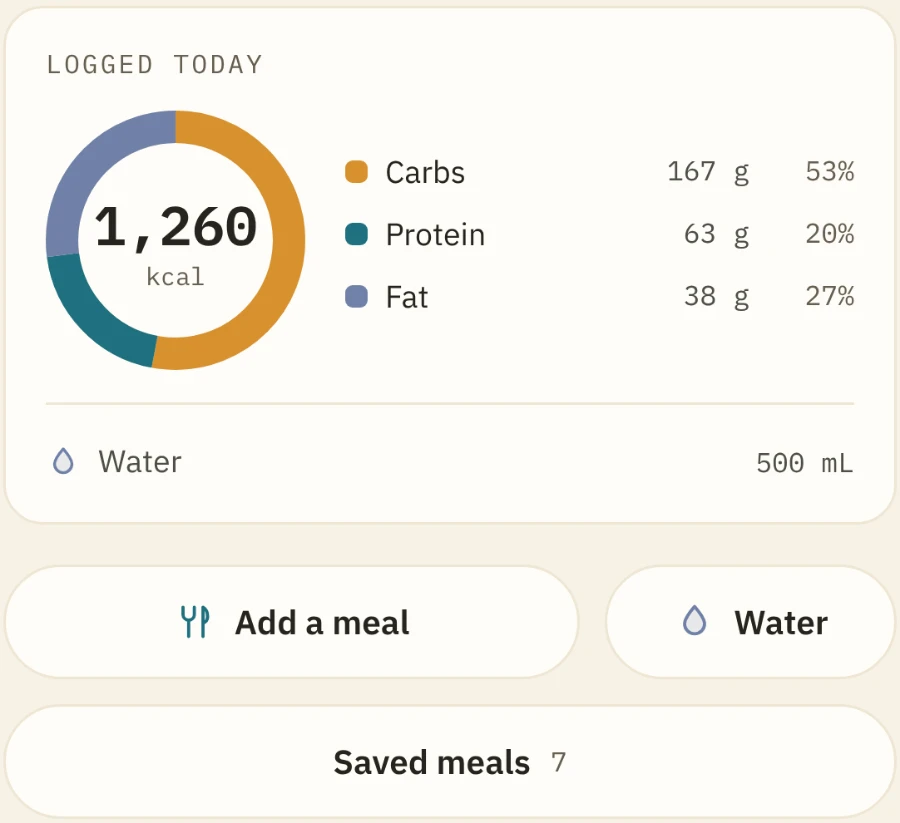
Logging a meal, without typing
Nobody quits a food diary because it was inaccurate. They quit because it was three minutes of typing, four times a day. So there are three ways in and none of them is a form.
- 01
Open a plate
A sitting rather than an entry, because that is what a meal is. Everything you had goes on the same plate, and the plate goes in once.
- 02
Point the camera, or just say it
Scan the barcode and the figures come off the label, not out of somebody’s estimate. Or say “I ate 100g of chicken breast” — read on the phone, by Apple’s offline recogniser. Or type two letters: everyday foods are built in, packaged products from Open Food Facts follow underneath.
- 03
Keep the ones you repeat
Give the plate a name and the same breakfast goes in with one tap tomorrow. Fix a figure later and the correction follows everywhere it counted.
And then it leaves you alone
- No target
Nothing to fail at
No daily calorie goal, no score for the day, no streak to break. It shows what you ate and leaves it at that. Set a target only if you want one.
- Your day
Breakfast, lunch, dinner — if you say so
Name the meal an entry belongs to and the day groups itself. Nothing is guessed from the clock: an entry nobody assigned stays unassigned.
- Everywhere
It counts everywhere else too
One entry lands on the Food tile, your goals, the day’s Balance score and the weekly recap. It can go to Apple Health too, if you turn that on — the figures, never the meal.
The screen it opens on
A dashboard nobody else has
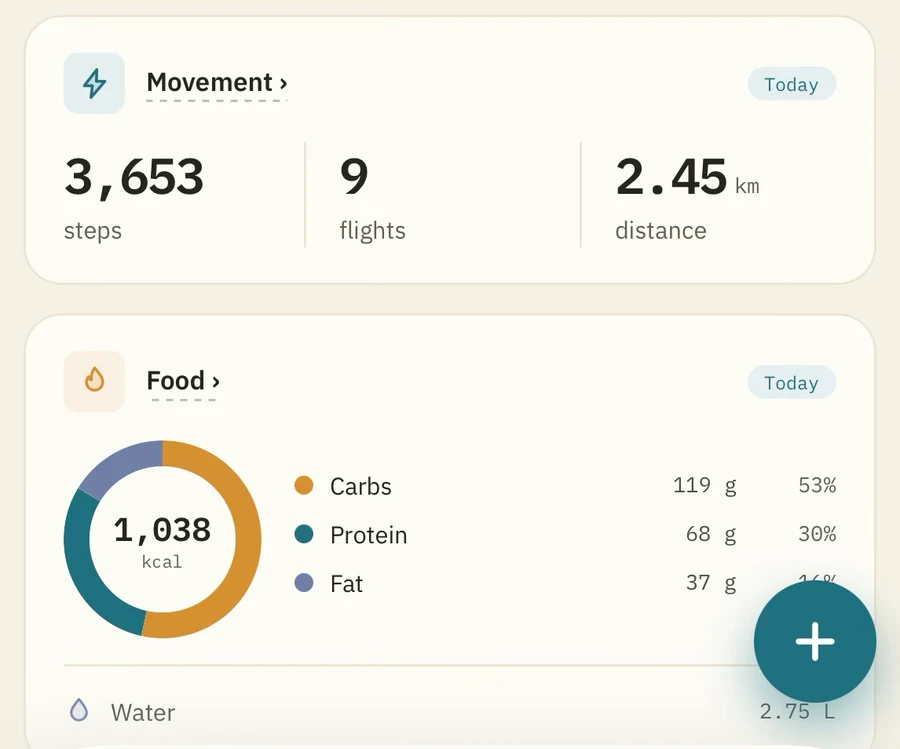
It reads 28 kinds of reading from Apple Health, plus your sleep and the workouts your watch recorded — then hands you the screen. No default layout you have to live with, and no tile you cannot take off.
- 01
Pick the figure
Anything Apple Health holds, grouped the way you think about it rather than by which device wrote it. Pin one to a single device where your watch and your phone disagree.
- 02
Choose the shape
Seven of them, from a number to a scatter. Set the span — a day, a week, a year — and attach a goal if it has one.
- 03
Put it where you want it
Drag the grid into your own order. Any tile opens onto a small dashboard of its own, which you also build.
Six kinds of tile
- Reading
Anything Apple Health has
One figure or several, drawn seven ways — a number, a sparkline, a hero with supporting figures, one figure plotted against another, a scatter. Its own span of time, from a day to a year.
- Ready-made
Eight tiles already built
Movement, Energy, Training, Vitals, Food, Sleep and Balance — so a new dashboard is one tap rather than a shopping list.
- Goals
What you said you would do
A daily or weekly target, or a weight you are heading for from a starting point the app measured. Never in red for being behind.
- Live
The heart rate monitor, on the home screen
The one tile that is not a picture of the past: your heart rate now, in its zone colour. Tap it and you are in a workout.
- Headline
A sentence, in your words or its own
The line the dashboard opens with. Automatic, or write your own and it prints exactly that.
- Lifeline
The trace across the top
Flat when there is nothing to say, alive when there is — or switched to your live heart rate.
The other half of it
And a recorder for the part Health cannot see
Apple Health knows you moved for fifty minutes. It does not know that eight of them were the third set of a squat at 90 kg. So the app records the workout itself, and files it where the rest of your numbers live. Logging is free; reading a heart rate monitor while you do it is Unlimited.
- On the Lock Screen
It keeps going when the phone does not
A ticking clock, your heart rate in its zone colour, and a button that logs another set — on the Lock Screen and round the Dynamic Island, without unlocking anything.
- Five zones
Against your ceiling, not a default one
Any standard Bluetooth monitor gives the workout a minute-by-minute trace and seconds in each of five zones. The zones come from your own maximum and are stamped when the workout is saved, so editing the setting later cannot move the bands behind an old graph.
- Every movement
Three cues and the one mistake
Which muscles it lands on, three cues in order, and the one thing that most often goes wrong, with the positions drawn. No rep ranges, no promises about a body it has never met.
- Alongside Health
What your watch thought, kept separate
A workout stamps what Apple Health recorded over the same hour, and says how much the two coincide. Two accounts of one hour, shown as two.
A workout, monitor or no monitor
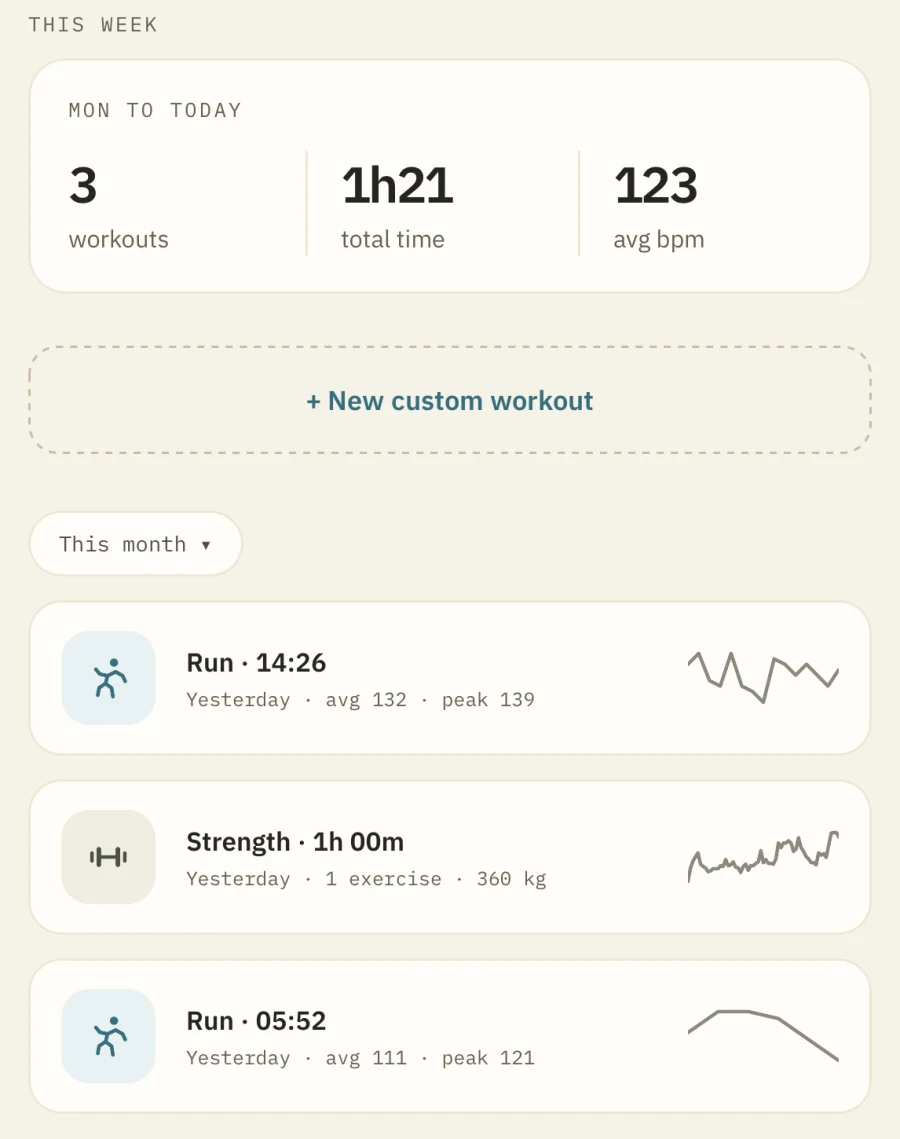
Start a workout and log sets as you go. 48 exercises, each asking only for what it is measured by — weight and reps for a bench press, time for a plank. Anything not on the list is typed in, and keeps its own chart.
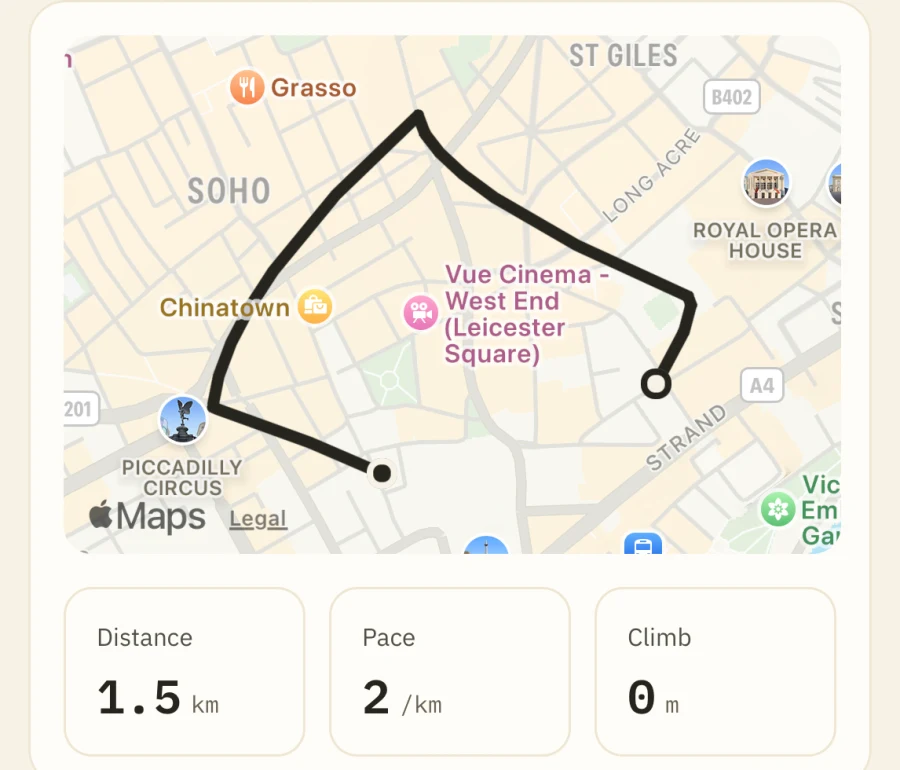
Where you actually went
Distance, pace and climb read off your own GPS track rather than estimated, and every kilometre gets its own split. Share one and the first and last 200 metres come off first — a route map is a map of where you live.
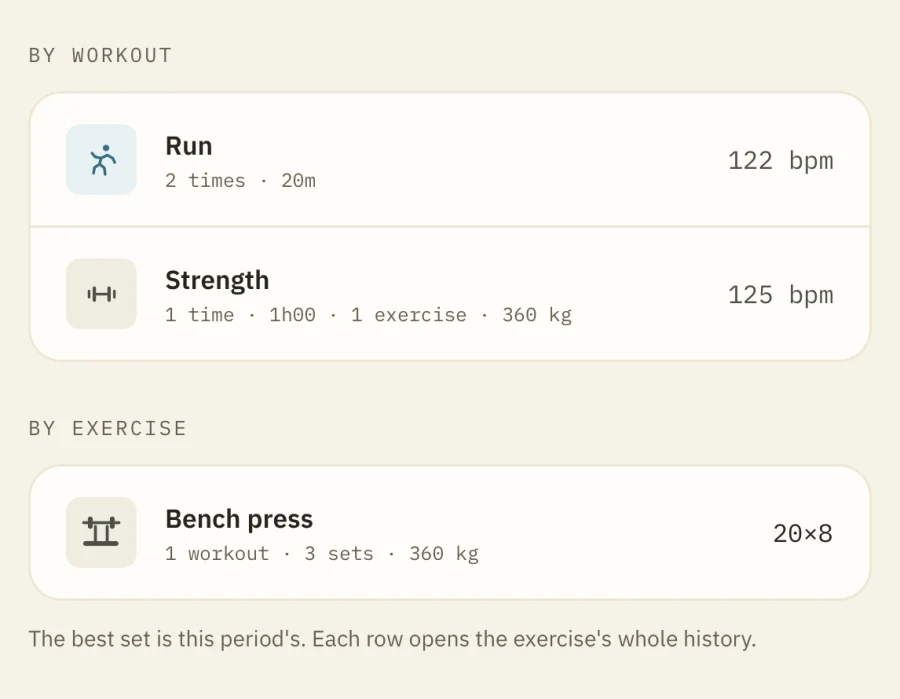
Every exercise keeps one line
Any period adds up by workout and by exercise: time, weight lifted, sets, best set. Open a row for the whole history of that movement. Bench is bench, whichever workout it sat in.
And underneath both
Your own data, read properly
A tile is only as good as the reading behind it. These three are where the app does the most work — and each one shows what it did.
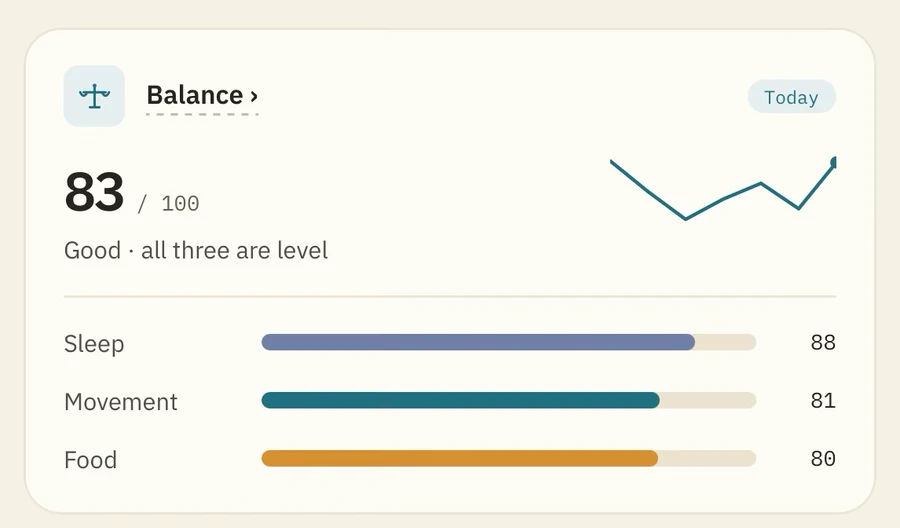
A score that shows its working
One number from sleep, movement and food, with a page behind it showing what each contributed. No figure the app cannot explain.
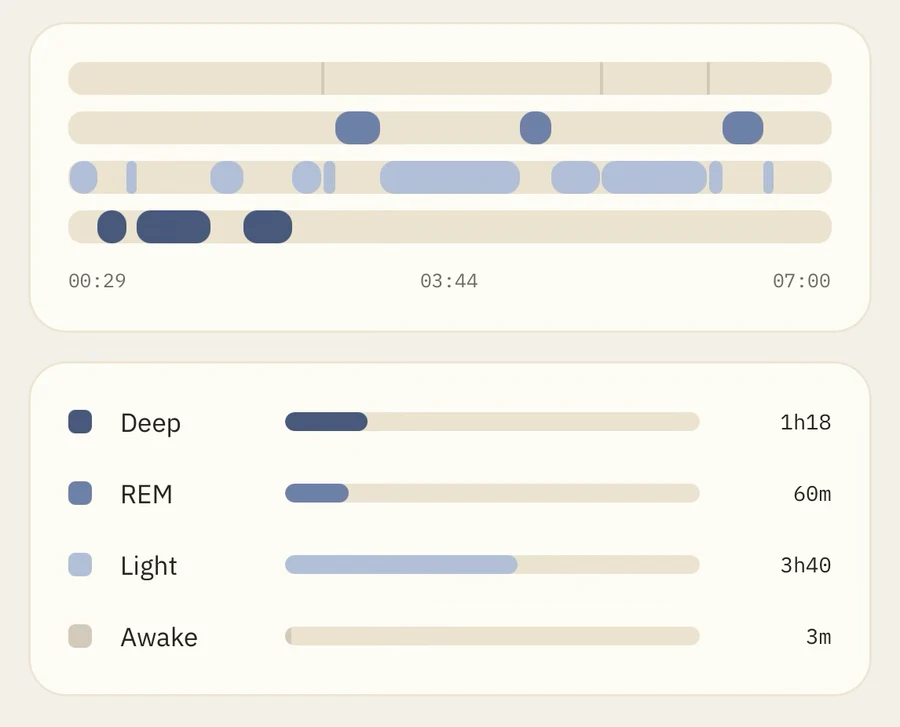
A night as a shape, not a total
The stages as they actually ran, every wake marked. Then the same night as four numbers.
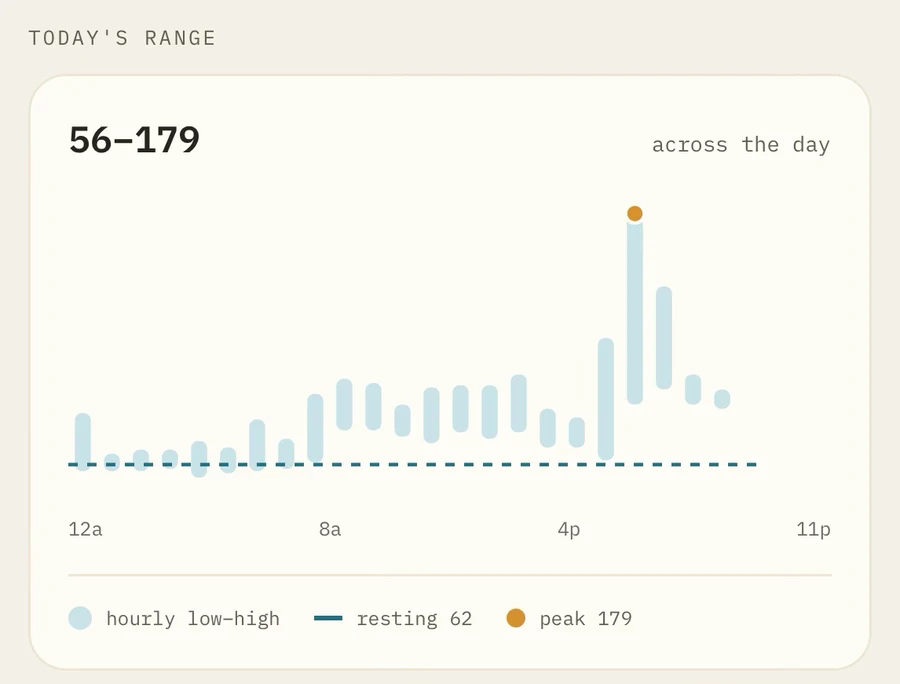
The whole day, not the headline
Every hour as a low-to-high bar, your resting rate as the line through them. One average is not a day you can ask questions about.
Your data.Your phone.Your rules.
Apple Health is only ever read, unless you ask the app to write to it. No account, no server. The one thing that leaves — a weekly challenge score, once you connect Game Center yourself — is listed in the privacy policy.
10 feats, 40 ranks
Earned once, kept for good
The same for everyone, and permanent once earned. Nothing you did before you arrived counts towards them — which is what keeps the wall worth looking at.
 The Cross-Trainer
 In the Zone
 The Iron Streak
 The Traveler
 Early Riser
 Triple Threat
 Desk Jockey Defeater
 Hydration Hero
 The Regular
 The Double-Digit Club
Four ranks each. Triple Threat, all the way up:
 Bronze
 Silver
- Gold
 Master
The interesting part
Built on a few refusals
What this app refuses to do is the part worth reading.
- 01Nothing is held against you for a day you did not record.
Charts break the line across a gap. The absence of a reading is never drawn as a zero.
- 02No streaks to lose.
One badge counts consecutive days, and it reports your best run ever — not the one you are on.
- 03No red for an off day.
Warning colours are for physiological state only. A goal short of its target is stated in plain grey.
- 04No number it cannot explain.
There is no sleep quality score, because no screen could have told you what it meant.
- 05No trend before it has earned one.
Under seven nights, the Heart page says how many it has and draws no line.
- 06No rival the app invented.
A challenge nobody else has entered draws one row — yours. A board of one is the truthful state of a competition of one.
- 07No score a rival cannot check.
Kilometres, flights and minutes are things two people can both count. Balance was a challenge once and is not any more: nobody on the other end could audit it.
- 08No last place on a Monday morning.
A week you have not logged anything in has not come last — it has not started. Those rows are left unranked, and ties share a rank.
The arithmetic behind every figure is on the how the numbers work page. What it costs is on the home page.